Hit enter to search or ESC to close
Close Search
Verbolia
Menu
  • Products
    • Vpage
      • Vpage logoProgrammatic platform for SEO, GEO, and SEACreate high-performance pages at scale for every way your customers search.
    • Vlink
      • Logo VlinkAutomated internal linkingImplement your linking strategy at scale on your e-commerce or classifieds website with our flexible internal linking solution.
    • Vrender
      • Vrender logoDynamic renderingMake every page discoverable by every bot. Vrender ensures your content is crawlable — whether by Googlebot, ChatGPT or PerplexityBot.
  • Pricing
  • Clients
  • Partners
  • Resources
    • –
      • BlogDiscover latest industry trends and insights
      • EbooksGain a competitive edge with our expert ebooks
    • –
      • Keyword cannibalization identifierFind highly similar keywords in a keyword list
      • Traffic opportunity toolDiscover our innovative method to drive website traffic
    • Product information
      • Product documentationFind answers to all your questions
      • Product updatesRead latest features enhancements
  • About Verbolia
    • About usWho is Verbolia?
    • CareersJoin our team!
  • Sign in
  • Request a demo
Verbolia

Vpage

19
  • Getting started
    • Statement of Work for Verbolia Setup and Onboarding
    • How to use Verbolia at its best!
  • Product feed
    • How to integrate your offer (products, ads,..) in the most convenient way into the Verbolia solution?
  • Reverse proxy routing
    • Reverse proxy fundamentals
    • How to setup the reverse proxy to use Vpages?
  • Internal linking configuration
    • Why and how to link the Verbolia pages to your existing web pages?
  • Vpages basics
    • How does Verbolia match products to keywords?
    • Using labels to organize your workflow
    • Setting up FAQ sections on your Vpages
    • How does Verbolia handle index/follow directives?
    • Integrating Verbolia Vpages into a native mobile App
    • How to ensure search engines index your Vpages
  • Theme management
    • Master instance
    • Advanced theme manager
    • Managing header and footer in your Verbolia theme
  • Dashboard
    • Managing GA4 authorization
    • Setting up GA4 tracking for Verbolia
    • Tracking Googlebot visits on Vpages
    • Analyzing performance with labels in the dashboard

Vmax

3
  • Getting started
    • Vmax – Integration Guide
    • Vmax – FAQ
  • Vanalytics
    • GTM Template Documentation for Vanalytics

Vlink

3
  • Vlink – Integration Guide
  • Vlink – Monitoring
  • Vlink – FAQ

Vrender

2
  • Vrender Integration Guide
  • Crawlers reference 
  • Home
  • Help Center
  • Vmax
  • Getting started
  • Vmax – Integration Guide
View Categories

Vmax – Integration Guide

Introduction

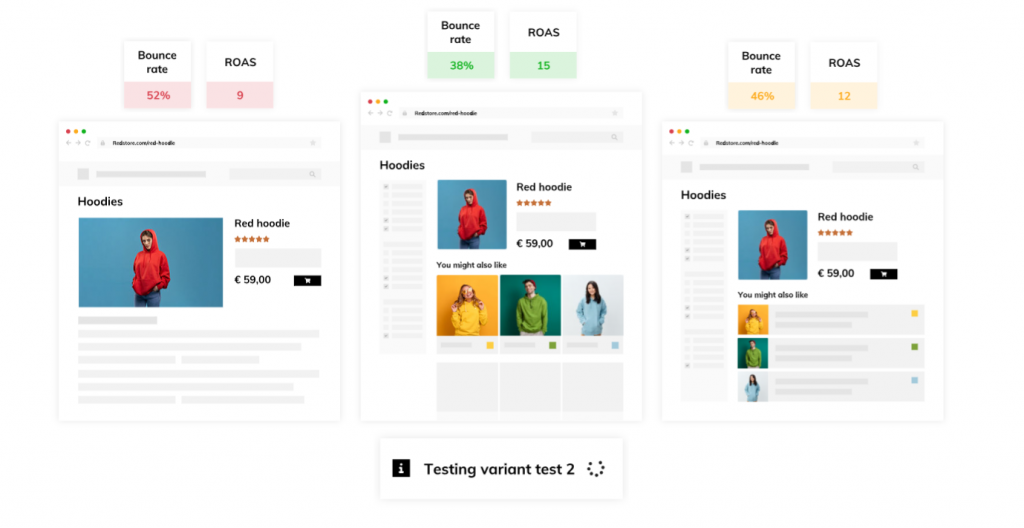
Vmax is a technology designed to transform eCommerce product detail pages into high-converting landing pages by testing different layouts and optimizing them for visitor engagement. Unlike classic A/B testing tools, Vmax allows to

  • inject in your existing pages information coming from a data feed
  • apply a different page transformation on each product individually

More info here.
How does Vmax work?

Vmax requires:

  • an access to a product feed
  • the installation of a Javascript script in the product pages
  • configuration in Vmax backoffice: define activation rules and create page transformers

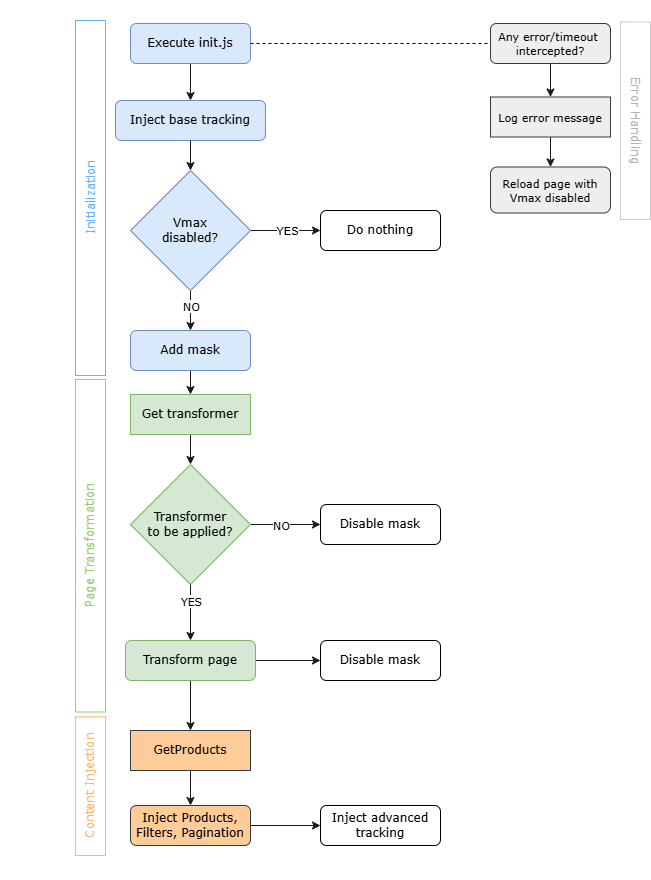
Here is how the script works

  1. Initialization: The script begins by retrieving the parameters (activation percentage, rules and tracking) via an API and adds a mask on the page to prevent flickering (the mask will be removed after page transformation). A tracking is also set up at this stage in order to measure activity in the page.
  2. Page Transformation: script then downloads the transformer to be applied (if applicable) and renders the page.
  3. Content Integration: If extra content needs to be injected (like products, or content changes), the script fetches the Vmax content and displays it into the page.
Configure Vmax in Verbolia Backoffice application

We’re here to assist you every step of the way! Should you encounter any challenges configuring Vmax, don’t hesitate to reach out to our dedicated Customer Success Team for support.

  1. Import your product catalog feed:
    Access Feed Settings to customize how Verbolia retrieves your product feed.
    Deltailed instructions can be found here.
  2. Select Vmax enabled products:
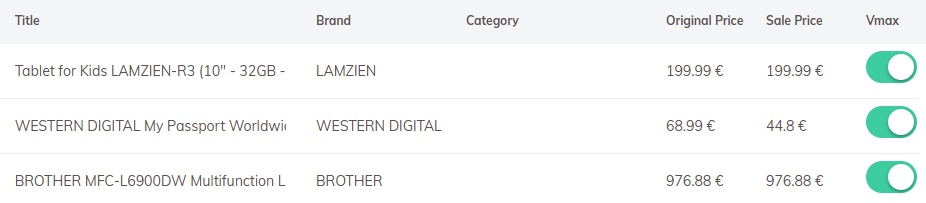
    Navigate to the Vmax section within Product Selection to manually or bulk-select products eligible for Vmax.
  3. Configure Vmax settings:
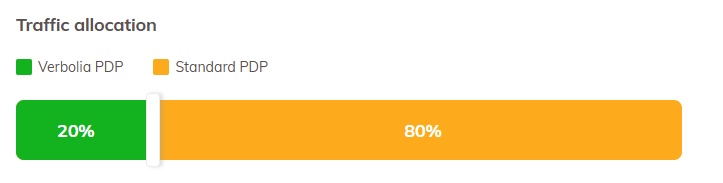
    Within Settings, determine the Traffic Allocation, specifying the percentage of Vmax-enabled pages where Vmax content will be displayed.

    Optionally, customize Trigger Conditions rules as needed.
  4. Edit layout:
    In the Vmax section, you’ll find a Transformers link dedicated to advanced layout modifications.
    Exercise caution when making modifications here to avoid inadvertently affecting functionalities.
Integrate Vmax script into your pages

  1. Connect to the Verbolia Backoffice application and navigate to Vmax section.
  2. In Settings copy the script to your clipboard.
  3. Insert the script into the <head> tag of your webpage. For optimal performance, ensure the Vmax script is placed within the <head> tag of your HTML. Position it as high up as possible, typically following the tag, charset declarations, and any other necessary meta tags. Prioritize placing the Vmax script before analytics or heatmapping platform codes.

Here is what the Vmax script might look like on a page:

<!DOCTYPE html>
<html lang="en">
    <head>
        <meta http-equiv="Content-Type" content="text/html; charset=utf-8">
        <!-- Add other meta information here -->
        <!-- Add stylesheets here -->
        <script src="https://yourverboliaprefix.backend.verbolia.com/yourverboliapath/p/init.js"></script>
        <!-- Add scripts and other content here -->
    </head>
    <body>


Updated on April 7, 2025

© 2026 Verbolia. All rights reserved.

Close Menu
  • Products
    • Vpage
      • Vpage logoProgrammatic platform for SEO, GEO, and SEACreate high-performance pages at scale for every way your customers search.
    • Vlink
      • Logo VlinkAutomated internal linkingImplement your linking strategy at scale on your e-commerce or classifieds website with our flexible internal linking solution.
    • Vrender
      • Vrender logoDynamic renderingMake every page discoverable by every bot. Vrender ensures your content is crawlable — whether by Googlebot, ChatGPT or PerplexityBot.
  • Pricing
  • Clients
  • Partners
  • Resources
    • –
      • BlogDiscover latest industry trends and insights
      • EbooksGain a competitive edge with our expert ebooks
    • –
      • Keyword cannibalization identifierFind highly similar keywords in a keyword list
      • Traffic opportunity toolDiscover our innovative method to drive website traffic
    • Product information
      • Product documentationFind answers to all your questions
      • Product updatesRead latest features enhancements
  • About Verbolia
    • About usWho is Verbolia?
    • CareersJoin our team!
  • Sign in
  • Request a demo