Hit enter to search or ESC to close
Close Search
Verbolia
Menu
  • Products
    • Vpage
      • Vpage logoProgrammatic platform for SEO, GEO, and SEACreate high-performance pages at scale for every way your customers search.
    • Vlink
      • Logo VlinkAutomated internal linkingImplement your linking strategy at scale on your e-commerce or classifieds website with our flexible internal linking solution.
    • Vrender
      • Vrender logoDynamic renderingMake every page discoverable by every bot. Vrender ensures your content is crawlable — whether by Googlebot, ChatGPT or PerplexityBot.
  • Pricing
  • Clients
  • Partners
  • Resources
    • –
      • BlogDiscover latest industry trends and insights
      • EbooksGain a competitive edge with our expert ebooks
    • –
      • Keyword cannibalization identifierFind highly similar keywords in a keyword list
      • Traffic opportunity toolDiscover our innovative method to drive website traffic
    • Product information
      • Product documentationFind answers to all your questions
      • Product updatesRead latest features enhancements
  • About Verbolia
    • About usWho is Verbolia?
    • CareersJoin our team!
  • Sign in
  • Request a demo
Verbolia

Vpage

19
  • Getting started
    • Statement of Work for Verbolia Setup and Onboarding
    • How to use Verbolia at its best!
  • Product feed
    • How to integrate your offer (products, ads,..) in the most convenient way into the Verbolia solution?
  • Reverse proxy routing
    • Reverse proxy fundamentals
    • How to setup the reverse proxy to use Vpages?
  • Internal linking configuration
    • Why and how to link the Verbolia pages to your existing web pages?
  • Vpages basics
    • How does Verbolia match products to keywords?
    • Using labels to organize your workflow
    • Setting up FAQ sections on your Vpages
    • How does Verbolia handle index/follow directives?
    • Integrating Verbolia Vpages into a native mobile App
    • How to ensure search engines index your Vpages
  • Theme management
    • Master instance
    • Advanced theme manager
    • Managing header and footer in your Verbolia theme
  • Dashboard
    • Managing GA4 authorization
    • Setting up GA4 tracking for Verbolia
    • Tracking Googlebot visits on Vpages
    • Analyzing performance with labels in the dashboard

Vmax

3
  • Getting started
    • Vmax – Integration Guide
    • Vmax – FAQ
  • Vanalytics
    • GTM Template Documentation for Vanalytics

Vlink

3
  • Vlink – Integration Guide
  • Vlink – Monitoring
  • Vlink – FAQ

Vrender

2
  • Vrender Integration Guide
  • Crawlers reference 
  • Home
  • Help Center
  • Vmax
  • Vanalytics
  • GTM Template Documentation for Vanalytics
View Categories

GTM Template Documentation for Vanalytics

Vanalytics is a technology to collect visit and conversion data from your visitors to enable Vmax to optimize the experience of your pages and increase your conversion rate.

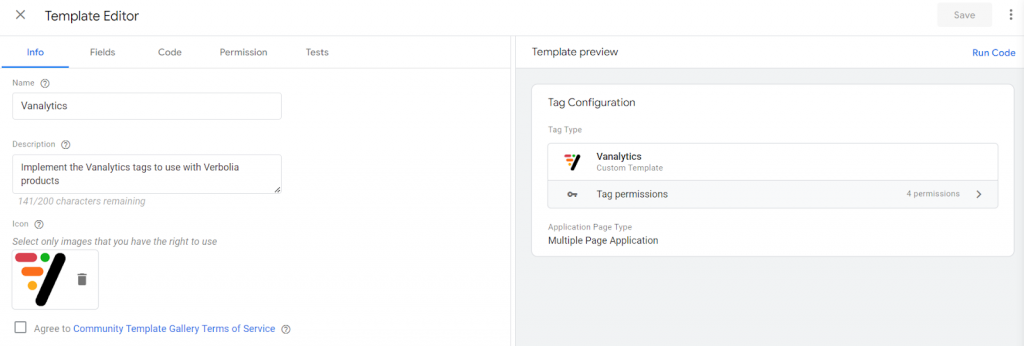
To set up Vanalytics in GTM, you’ll have to download and install a GTM template and create 4 different tags.

Custom template: Vanalytics  #

Download the latest version of the template and import it in GTM.
Create Tags #

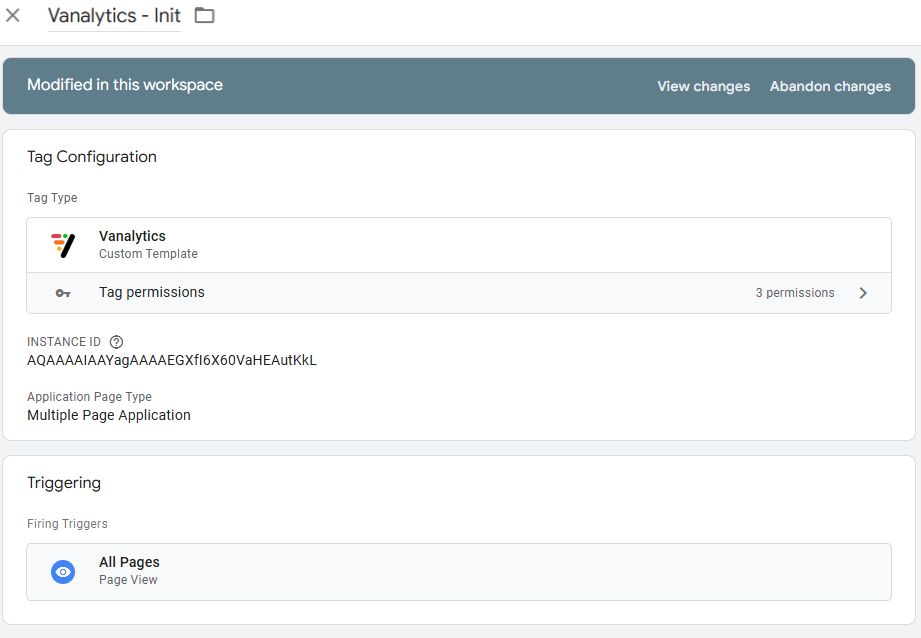
Tag: Vanalytics – Init

  • Tag Type: Initialize Vanalytics
  • INSTANCE ID : set the instance id as provided in your Vmax settings
  • Application Page Type: select if your website is a Single Page Application or not
  • Log debug info: check this box to get detailed information in the Console
  • Triggering: select a relevant trigger to ensure that this tag is triggered on all pages, as early as possible during page load.
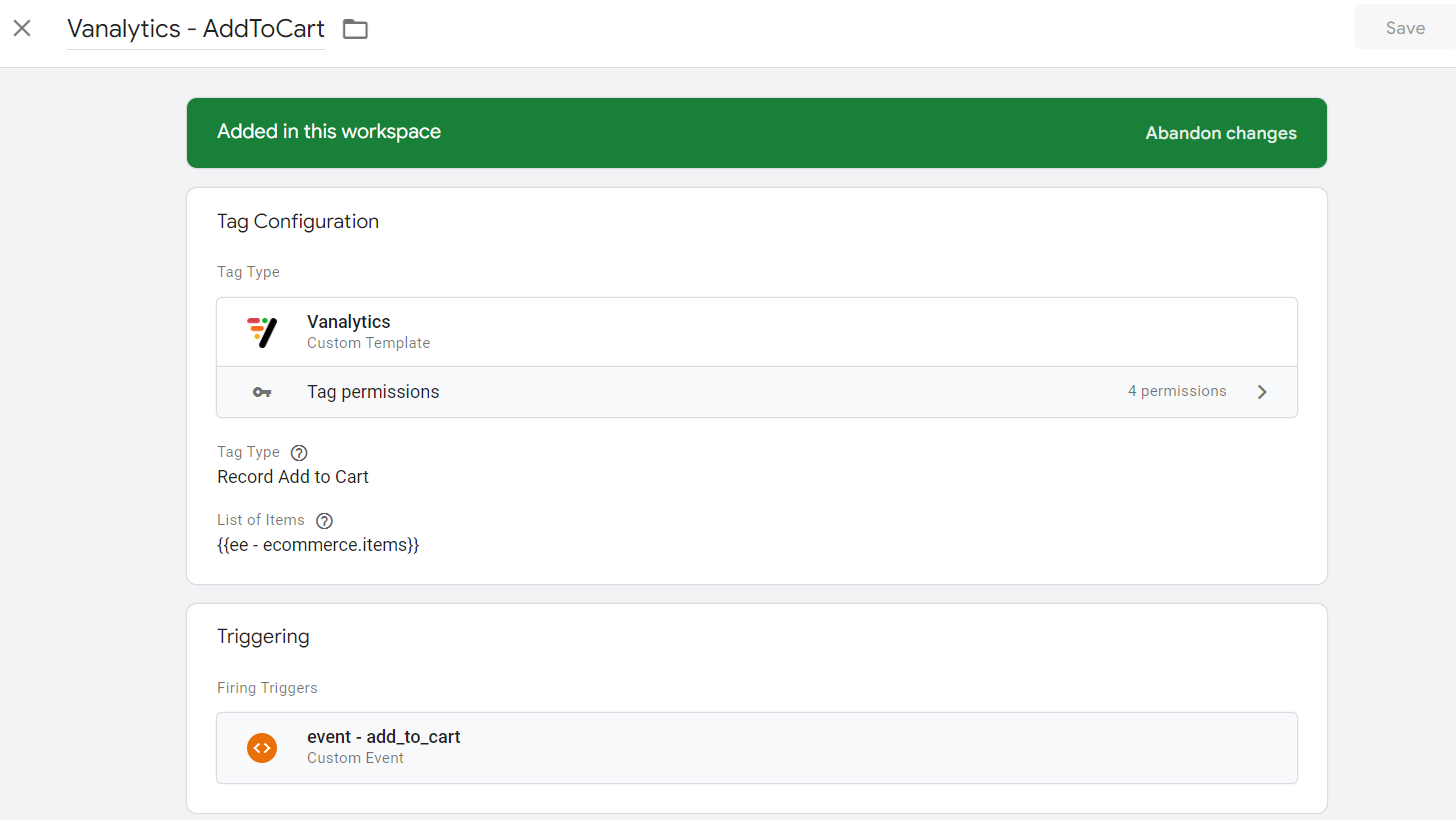
Tag: Vanalytics – AddToCart

  • Tag Type Record Add to Cart
  • List of Items: select the JSON object that represents the list of items added to cart
  • Triggering: select a relevant existing Add to cart trigger
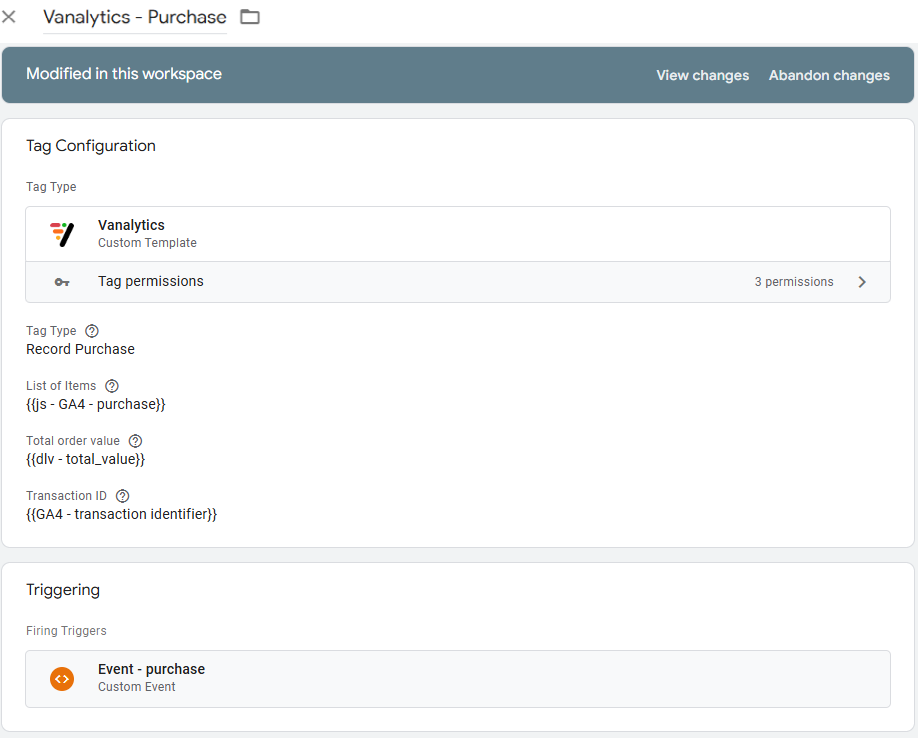
Tag: Vanalytics – Purchase

  • Tag Type: Record Purchase
  • List of Items: select the JSON object that represents the list of items purchased
  • Total order value: select the JSON object that represents the order value
  • Transaction ID: select the JSON object that represents the transaction id
  • Triggering: select a relevant existing Purchase trigger
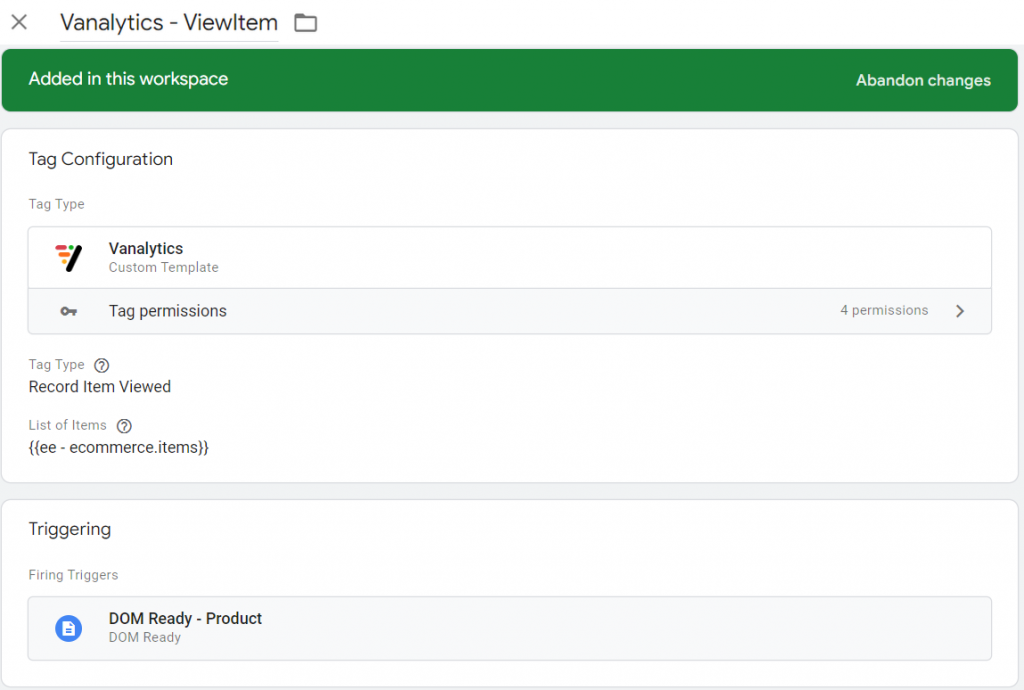
Tag: Vanalytics – ViewItem

  • Tag Type: Record Item Viewed
  • List of Items: select the JSON object that represents the item that has been viewed
  • Triggering: select a relevant existing ProductView or ItemView trigger
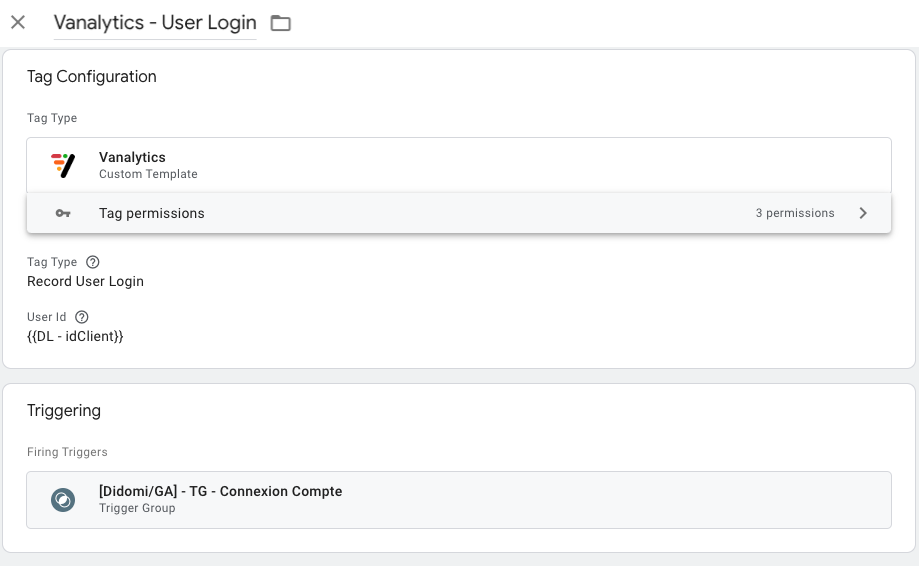
Tag: Vanalytics – Record User Login

  • Tag Type: Record User Login
  • User ID: a unique ID representing the user.  Be aware that using Personally Identifiable Information is not recommended
  • Triggering: select a relevant existing ProductView or ItemView trigger
Updated on January 27, 2025
Table of Contents
  • Custom template: Vanalytics 
  • Create Tags

© 2026 Verbolia. All rights reserved.

Close Menu
  • Products
    • Vpage
      • Vpage logoProgrammatic platform for SEO, GEO, and SEACreate high-performance pages at scale for every way your customers search.
    • Vlink
      • Logo VlinkAutomated internal linkingImplement your linking strategy at scale on your e-commerce or classifieds website with our flexible internal linking solution.
    • Vrender
      • Vrender logoDynamic renderingMake every page discoverable by every bot. Vrender ensures your content is crawlable — whether by Googlebot, ChatGPT or PerplexityBot.
  • Pricing
  • Clients
  • Partners
  • Resources
    • –
      • BlogDiscover latest industry trends and insights
      • EbooksGain a competitive edge with our expert ebooks
    • –
      • Keyword cannibalization identifierFind highly similar keywords in a keyword list
      • Traffic opportunity toolDiscover our innovative method to drive website traffic
    • Product information
      • Product documentationFind answers to all your questions
      • Product updatesRead latest features enhancements
  • About Verbolia
    • About usWho is Verbolia?
    • CareersJoin our team!
  • Sign in
  • Request a demo